Odoo for restaurants
The dining room, the kitchen, the storeroom and the accounts in a single system — with the fiscal printer, the exchange rate and the Venezuelan payroll that Odoo does not bring out of the box. We add those.
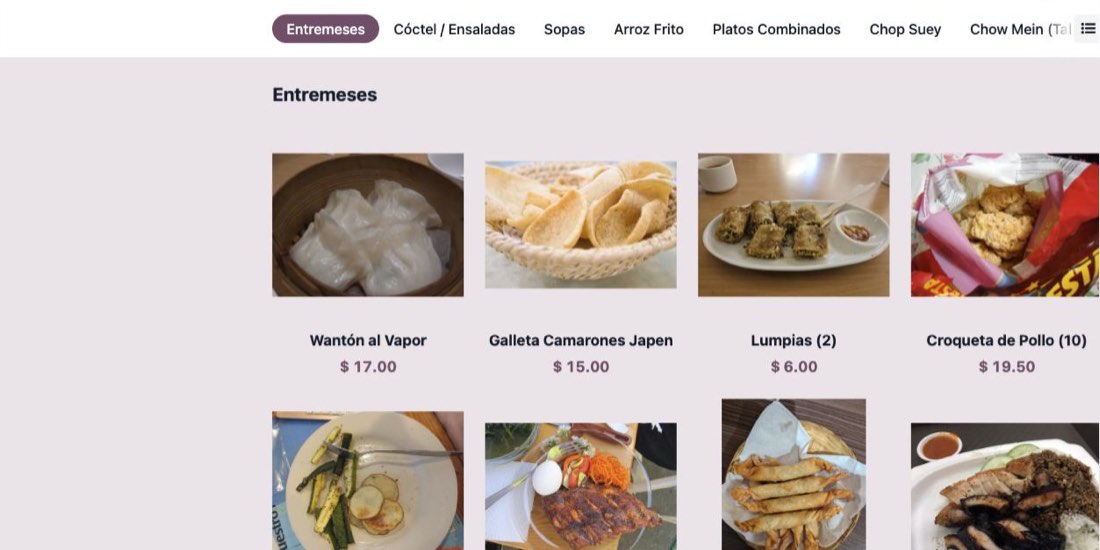
Your menu, exactly as it is
We load your card with your own codes and your own prices. Nothing to relearn, nothing rewritten. Guests scan a QR at the table and order for themselves; the dishes go to the kitchen screen and the drinks to the bar, on their own.
- Photographed menu, browsable from any phone
- Ordering by QR, at the table or for pickup
- Several price lists over one single catalogue
The floor
Your tables drawn on screen, across as many rooms and terraces as you have. The waiter logs in with a PIN, picks the table and builds the order in three taps — from any phone or tablet.
The kitchen
Orders land on a touch screen in the kitchen and another at the bar. Each ticket shows its table and how long it has been waiting. The printed comanda disappears.
The till
Split bills, move a party to another table, charge part in cash and part by card. Everything the room actually does, without workarounds.
The nightly cash close, done for you
Most restaurants we visit still reconcile by hand: table by table, noting whether it paid in cash, by point of sale, Pago Móvil, Zelle, Binance or a Colombian account. Every tender you actually accept becomes a button, and the closing screen lists each one with its expected amount. Cash opens a counter with the denominations, and the difference is calculated for you.
What is left in the storeroom
Every dish carries its recipe. Selling a fried rice takes the grams of rice, chicken and oil out of stock by itself, per branch. When an ingredient drops below its minimum the system lists it with the usual supplier and a suggested quantity — one click turns that into a purchase order. «By eye» becomes a number, and you get the real cost of every plate.
A real case: a two-branch restaurant in Puerto Ordaz
Chinese kitchen, two locations in different parts of the city, two tills that could not see each other. Their previous system stored products and prices and produced no sales report at all.
205
dishes and drinks loaded with their own codes
187
recipes, so stock moves when you sell
2
branches, separate and consolidated
0
hours of manual cash reconciliation
Their whole card, both price lists, the recipes and four weeks of trading were loaded before the first meeting — so the demo ran on their own numbers, not ours.
The Venezuelan layer
Odoo is Belgian. It knows nothing about fiscal machines, about the rate of the day, or about how a payslip is calculated here. That part is ours, and it is the reason a restaurant hires us instead of downloading the software.
- Fiscal printer — homologated printing on the authorised machines, with the fiscal and financial systems kept separate as the rules require.
- Multi-currency — the rate loads automatically and payment in bolívares, dollars or pesos is recorded in its own currency.
- SENIAT — Venezuelan chart of accounts, withholdings, purchase and sales books.
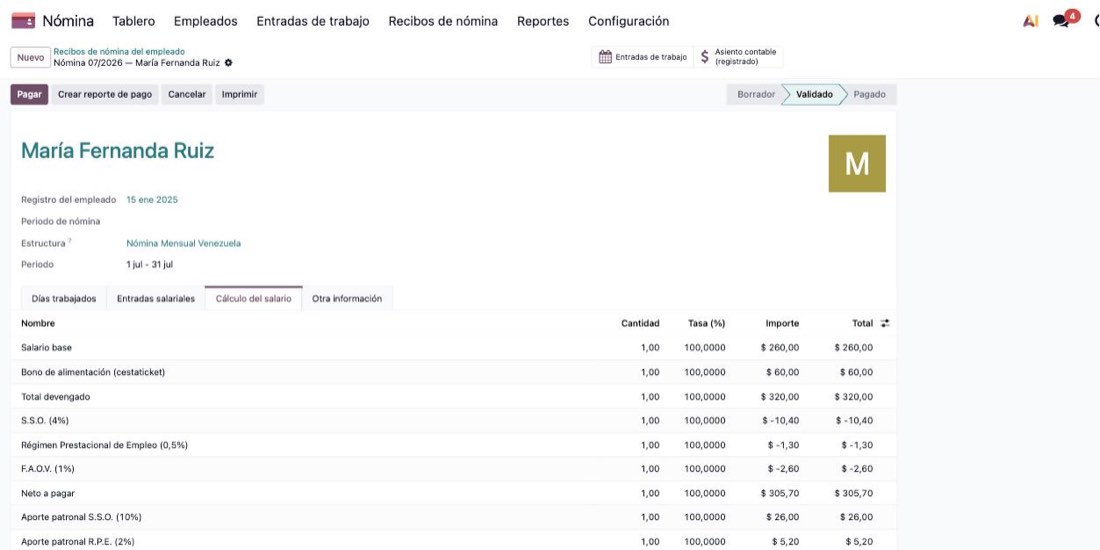
- Payroll — salary, cestaticket, S.S.O., R.P.E., F.A.O.V., I.N.C.E.S. and the prestaciones accrual, calculated per payslip.
Shall we show you your own restaurant, running?
Send us your menu. We load it, and the demo you see runs on your dishes, your prices and your branches — not on a generic sample.