Odoo SH Submodule Sync Extension
The Problem
Setting up a new Odoo SH environment requires adding every private submodule manually: for each one, you paste the SSH URL in Odoo SH, copy the generated deploy key, go to the GitHub repository, and add it there. For projects like C13 — which has around 20 submodules — this process takes close to an hour.
The Solution
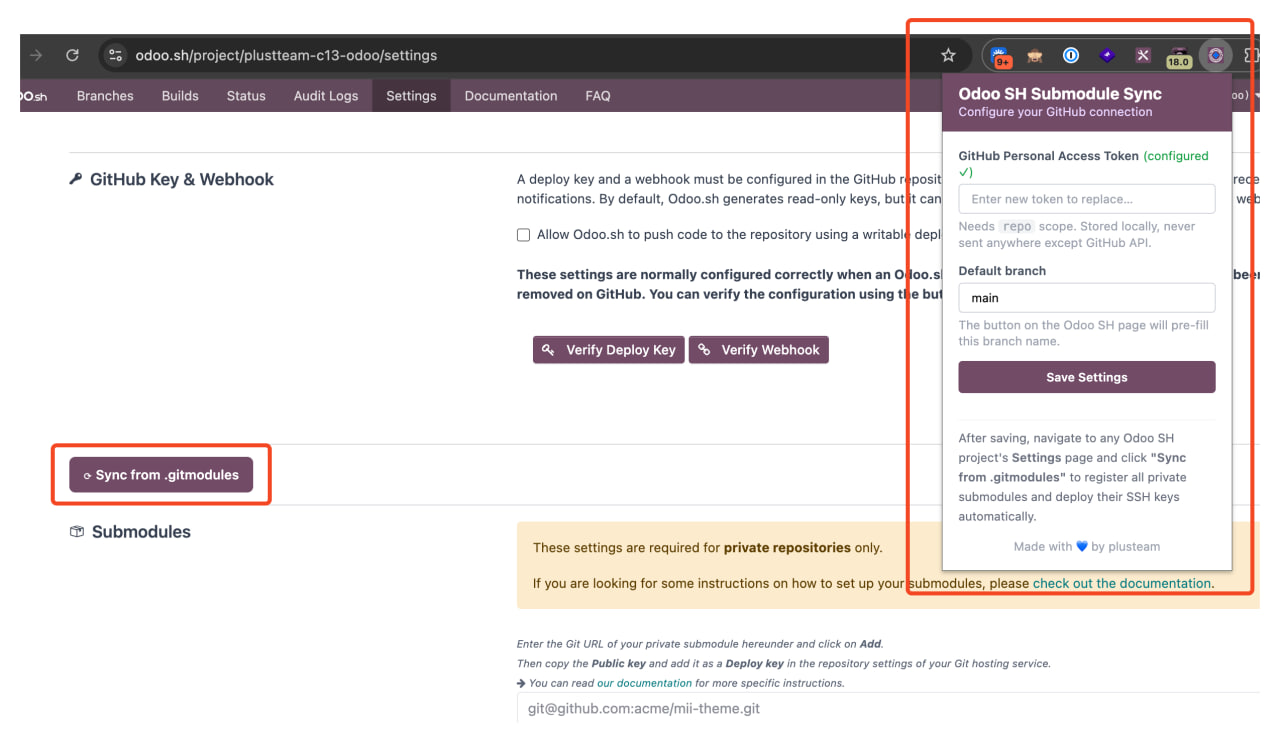
A Chrome extension that does all of that in one click. It reads the list of submodules from the .gitmodules file in any branch you choose, registers each one in Odoo SH, and automatically adds the SSH deploy key to each GitHub repository.
Result: what used to take ~1 hour now takes 2–3 minutes.
Installation
- Go to the extension repository → Tags → download the latest extension.zip
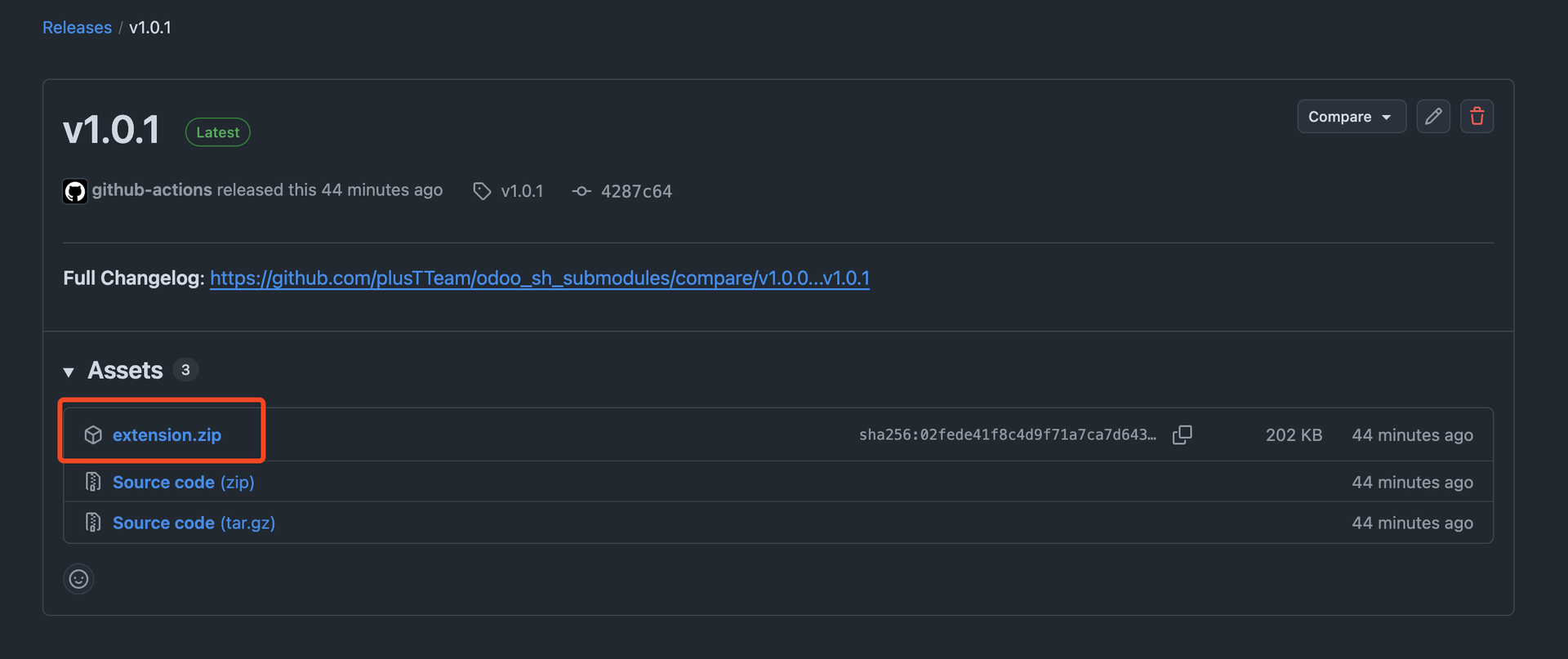
- Unzip the file
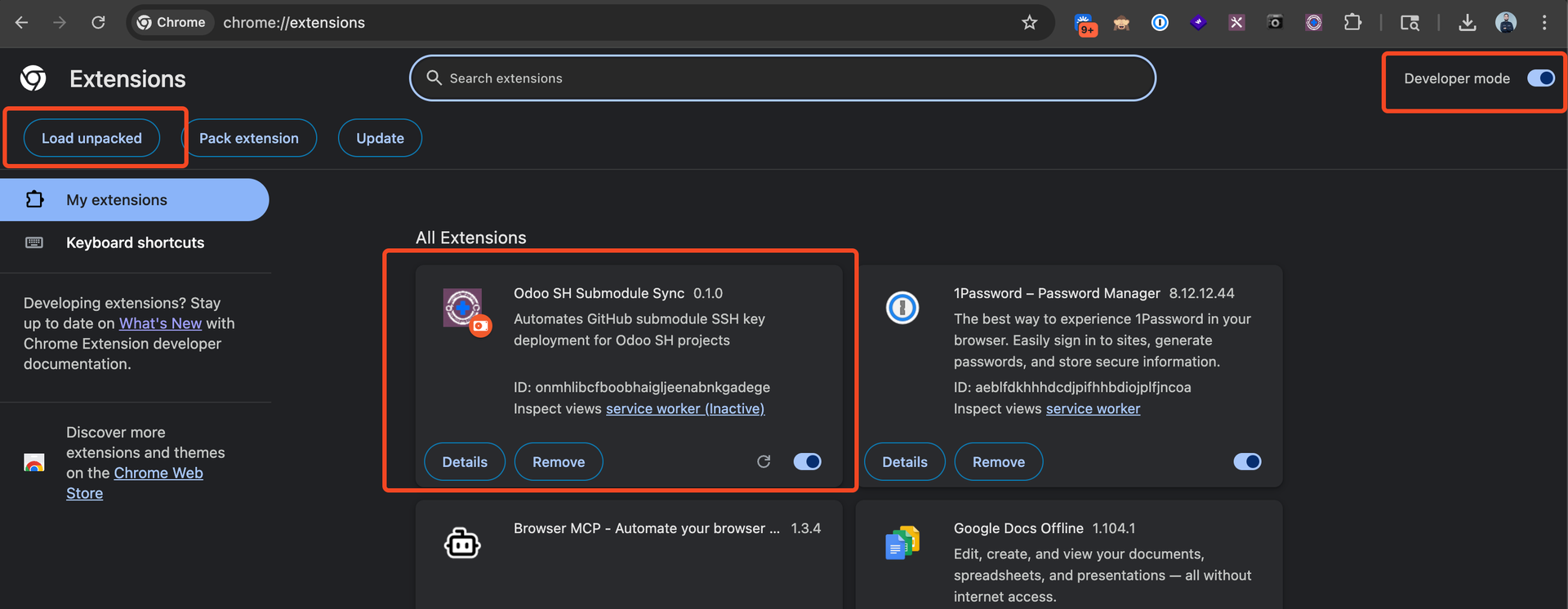
- Open Chrome and go to chrome://extensions
- Enable Developer mode (top-right toggle)
- Click Load unpacked and select the unzipped folder
- The extension will appear in your toolbar as Odoo SH Submodule Sync
Setup (one time)
Before using the extension you need to connect it to your GitHub account.
- Click the extension icon in the toolbar
Paste your GitHub Personal Access Token in the field
- Your token needs the repo scope
- It is stored locally in your browser — never sent anywhere else
- Set your Default branch (usually main or master)
- Click Save Settings
If you don't have a PAT yet: GitHub → Settings → Developer settings → Personal access tokens → Generate new token → check repo scope.
Using the Extension
- Log into Odoo SH and open your project's Settings page
- Hard-refresh the page (Cmd+Shift+R / Ctrl+Shift+R) so the extension loads
- You will see a new "⟳ Sync from .gitmodules" button near the top of the settings page
- Click it — a prompt will ask which branch to read .gitmodules from
- Enter the branch name (e.g. 17.0, main) and click OK
- Wait for the button to turn green and show "✓ Sync complete!"
That's it. All submodules are now registered in Odoo SH and their deploy keys are added to each GitHub repository under your account.
What Happens Behind the Scenes
- The extension fetches the .gitmodules file from the branch you specified
For each private SSH submodule it finds:
- Registers the repository URL in Odoo SH
- Receives the SSH deploy key Odoo SH generates
- Adds that key as a read-only deploy key on the GitHub repository
- Submodules that are already configured are skipped — the sync is safe to re-run
Troubleshooting
| Message | What to do |
|---|---|
| Could not detect GitHub repo | Reload the settings page and try again |
| .gitmodules not found in owner/repo@branch | Check the branch name — it must exist and contain a .gitmodules file |
| Invalid GitHub PAT | Open the popup and paste a new token with repo scope |
| Odoo SH HTTP 403 | Make sure you are logged into Odoo SH in the same browser |
| Button does not appear | Hard-refresh the settings page (Cmd+Shift+R) |